

Google has indexed roughly 400 billion web pages. That sounds impressive until you realise it's a fraction of the internet. Google discovers pages and then decides — within seconds — whether they're worth showing to anyone. Most pages never make the cut. Not because they're bad, but because nobody told Google they exist, or the page had a technical problem that kept it out of the index.
Understanding how search engines work isn't optional if you want your content to be found. It's not complicated either. There are three stages: crawling (finding your page), indexing (deciding to store it), and ranking (deciding where it shows up). Get all three right and you're visible. Get any of them wrong and you're shouting into the void.
Stage 1: Crawling — How Search Engines Find Your Pages
Google, Bing, and other search engines use automated programs called crawlers (or spiders) to navigate the web. Googlebot visits known pages, follows every link it finds, and discovers new content. It's like a librarian walking through a building, opening every door, and cataloguing what's inside.
Here's what most people don't realise: Googlebot doesn't visit your site once. It visits constantly. Large sites get crawled daily. Small sites might get visited every few days or weeks. The frequency depends on how often you publish new content, how many external sites link to you, and whether your site has a clean technical foundation.
BingBot works similarly but with some differences. Bing's crawler is less aggressive — it crawls fewer pages per visit and relies more heavily on your XML sitemap to know what exists. If you don't submit a sitemap to Bing Webmaster Tools, there's a good chance Bing hasn't found half your pages.
How AI search is different: Tools like Perplexity and ChatGPT don't crawl the web the same way. PerplexityBot searches in real time when a user asks a question. ChatGPT's browsing mode does the same. They're not building a permanent index — they're searching on demand. This means freshness matters even more for AI visibility.
What Stops Crawlers from Finding Your Pages
Several common problems prevent crawlers from discovering content:
- No internal links pointing to the page. If a page exists on your site but nothing links to it, crawlers literally can't find it. These are called orphan pages, and they're more common than you'd think — 25% of pages on the average website have zero internal links pointing to them.
- Robots.txt blocking access. Your robots.txt file tells crawlers which pages they can and can't access. A misconfigured robots.txt can accidentally block your most important content.
- Slow server response. If your server takes more than 5 seconds to respond, Googlebot may give up and move on. Google allocates a crawl budget to each site — the number of pages it's willing to crawl per visit. Slow servers waste that budget.
- JavaScript-rendered content. If your content only appears after JavaScript executes, crawlers may not see it. Google has improved at rendering JavaScript, but Bing and AI crawlers still struggle with heavy client-side rendering.
Stage 2: Indexing — Deciding Whether to Keep Your Page
Crawling a page doesn't mean indexing it. Google crawls billions of pages but actively decides which ones deserve a spot in the index. Think of it like a library that receives every book published but only shelves the ones worth reading.
Pages get excluded from the index for specific reasons:
- Thin content. Pages with fewer than 300 words of unique text are frequently skipped. Google's John Mueller has confirmed that pages need to provide substantial, unique value to earn indexation.
- Duplicate content. If your page says essentially the same thing as another page on your site (or someone else's), Google picks one and ignores the rest. This is why 28% of the web is estimated to be duplicate content that never appears in search results.
- No search demand. Google doesn't index pages that nobody searches for. If you have a page about an extremely niche topic that gets zero searches per month, don't be surprised if it's not indexed.
- Poor user experience signals. Pages with intrusive ads, aggressive pop-ups, or broken layouts send signals that the page isn't worth showing to users.
How to Check If Your Pages Are Indexed
This takes 10 seconds. Go to Google and type:
`site:yourdomain.com`
The number of results shown is approximately how many of your pages Google has indexed. If you have 200 pages on your site but Google only shows 50 results, you have an indexing problem.
For a specific page, search:
`site:yourdomain.com/your-page-url`
If nothing comes up, that page isn't indexed. Time to figure out why.
Google Search Console gives you much more detail. Under the "Pages" report, you'll see exactly which pages are indexed, which are excluded, and the specific reason for each exclusion. This is the single most useful SEO tool, and it's completely free.
How to Fix Indexing Problems
If your pages aren't being indexed, work through this checklist:
1. Submit your sitemap. Go to Google Search Console → Sitemaps → paste your sitemap URL (usually `yourdomain.com/sitemap.xml`). Do the same in Bing Webmaster Tools. This tells search engines exactly which pages exist.
2. Request indexing for specific pages. In Search Console, use the URL Inspection tool to check any page. If it's not indexed, click "Request Indexing." Google typically processes these within 48-72 hours, though it can take longer.
3. Fix internal linking. Every important page should be reachable within 3 clicks from your homepage. Add links from your main navigation, footer, sidebar, or related content sections.
4. Add unique content. If a page has thin or duplicate content, expand it. Add original insights, data, or perspective that makes it worth indexing.
5. Check your robots.txt and meta robots tags. Make sure you're not accidentally telling crawlers to stay away. Look for `noindex` meta tags or `Disallow` rules that might be blocking important pages.
Stage 3: Ranking — Where Your Page Shows Up
Once your page is indexed, the next question is where it appears in search results. Google uses over 200 ranking signals to decide this. Nobody outside Google knows the exact formula, but decades of testing and Google's own documentation tell us what matters most.
The factors that actually move the needle in 2026:
- Content relevance and depth. Does your page thoroughly answer the question the searcher asked? Superficial content that skims a topic loses to content that covers it comprehensively with specific details.
- Backlinks (still). Links from other websites remain one of the strongest ranking signals. A page with links from 50 relevant, authoritative websites will almost always outrank a page with zero external links. The key word is "relevant" — 10 links from sites in your industry beat 1,000 links from unrelated blogs.
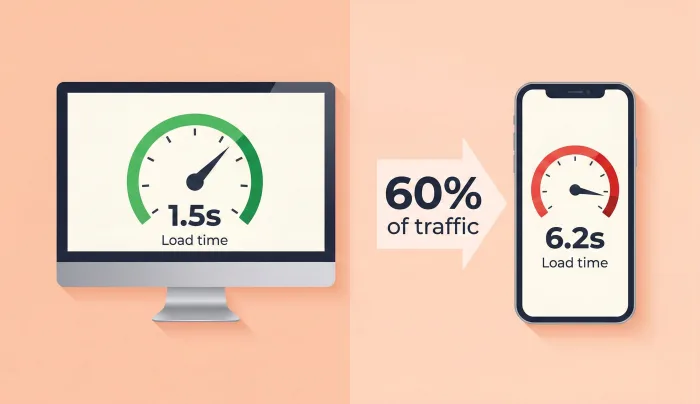
- User experience. Google's Core Web Vitals measure loading speed (LCP), interactivity (INP), and visual stability (CLS). Sites that score well get a measurable ranking boost.
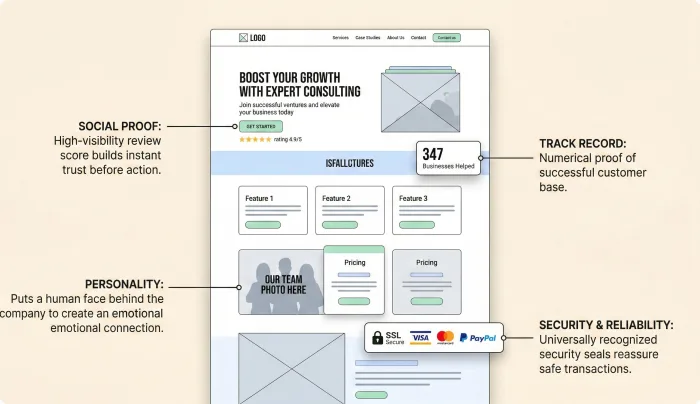
- E-E-A-T. Experience, Expertise, Authoritativeness, and Trustworthiness. Google wants to know: who wrote this, are they qualified, and can I trust them? Author bios, credentials, and consistent publishing history all matter.
- Freshness. For topics where information changes (pricing, statistics, best-of lists), Google heavily favours recently updated content. Pages updated within the last 12 months rank significantly higher for time-sensitive queries.
How Long Does It Take to Rank?
Here's a stat that resets expectations: the average page that ranks on Google's first page is over 2 years old. According to Ahrefs' study, only 5.7% of newly published pages reach the top 10 within a year. The median time to reach page 1 is between 4 and 12 months for pages that get there at all.
This doesn't mean you should wait a year to see results. It means you should set realistic expectations and focus on building a foundation. Publish quality content consistently, build links over time, and keep your technical foundation clean. The compounding effect is real — sites that publish regularly for 12+ months see dramatically better results than those that publish a burst of content and stop.
There's no shortcut. Anyone who promises you page-1 rankings in 30 days is either lying or targeting keywords that nobody searches for.
What About AI Search Engines?
Google, Bing, and traditional search engines are only part of the picture now. ChatGPT has over 200 million weekly active users. Perplexity handles millions of searches daily. These platforms don't rank pages the same way.
AI search engines look for:
- Direct answers to specific questions (not keyword-stuffed content)
- Original data and first-person experience (not rewritten summaries of other people's work)
- Structured content with clear headings that match the way people ask questions
- Cited sources and verifiable claims — Perplexity specifically prioritises content it can cite
The good news: content that's genuinely useful for humans tends to perform well on both traditional and AI search. Write clearly, support claims with data, use descriptive headings, and share original expertise. That's the strategy for every search engine in 2026.
Your Action Plan This Week
1. Run `site:yourdomain.com` on Google. Count how many pages are indexed versus how many exist.
2. Set up Google Search Console if you haven't. Review the Pages report for indexing issues.
3. Submit your sitemap to both Google Search Console and Bing Webmaster Tools.
4. Check your top 10 pages for internal links — does each one link to and from other relevant pages?
5. Pick one page that's not ranking well. Update it with fresh data, better headings, and 500+ words of new content.
Search engines aren't mysterious. They follow predictable rules. Crawling, indexing, and ranking are mechanical processes that you can influence with specific, measurable actions. The businesses that understand these processes — and act on them — are the ones that show up when it matters.